














Automated Customer Service: Improve Support with Chatbots and AI
Automate routine customer enquiries, provide information 24/7 and reduce repetitive workloads. Discover how Click4Assistance can help your business deliver automated customer service with Coni, our rule-based chatbot, and Arti, our AI Agent.

Automated customer service allows businesses to handle routine enquiries, provide information and collect customer details without requiring employees to manage every interaction. It can help customers access assistance more quickly while reducing repetitive tasks for support teams.
There are different ways to automate customer service. Rule-based chatbots guide customers through predefined conversations, while AI-powered systems can respond to questions written in natural language using approved business information.
Click4Assistance offers two approaches: Coni, our rule-based chatbot for structured conversations and information collection, and Arti, our AI Agent for conversational assistance using approved business knowledge.
In this guide, we explain which customer service tasks can be automated, the different technologies available, how to introduce automation and how to measure its effectiveness.
Table of Contents
- What Is Automated Customer Service?
- What Customer Service Tasks Can Be Automated?
- Benefits of Automated Customer Service
- Types of Automated Customer Service Solutions
- How to Implement Automated Customer Service
- Best Practices for Automated Customer Service
- How to Measure Automated Customer Service Performance
- Frequently Asked Questions About Automated Customer Service
- Automate Customer Service with Click4Assistance
What Is Automated Customer Service?
Automated customer service refers to the application of technology to manage routine customer enquiries, deliver information, and support customer service operations with minimal manual input. This can encompass rule-based chatbots, AI Agents, automated responses, self-service tools, and other systems aimed at enhancing the efficiency of customer assistance.
For instance, a customer might interact with a chatbot to choose the type of help they require, enter their contact information, or seek details about a service. In another scenario, an AI Agent could reply to a query phrased in natural language, utilising approved business content.
The goal is not to eliminate human support, but rather to automate appropriate interactions so that employees can concentrate on enquiries that necessitate judgment, investigation, or personal assistance.
What Customer Service Tasks Can Be Automated?
Different customer enquiries require different approaches. Some can be managed through predefined questions and options, while others benefit from more flexible, AI-powered conversations. Identifying suitable tasks can help businesses introduce automation where it will be most useful.
Answering Frequently Asked Questions
Businesses often receive the same questions about opening hours, available services, policies and procedures. Automating responses to these enquiries can help customers find the information they need without waiting for a member of staff.
Collecting Customer Enquiry Details
A rule-based chatbot can guide customers through a structured conversation to collect relevant information, such as their name, contact details and reason for getting in touch. With Coni, businesses can configure selectable options and data entry fields to gather the information required for an enquiry.
Guiding Customers Through Support Processes
Automated conversations can explain the steps customers need to follow when reporting an issue, requesting assistance or accessing a service. Predefined chatbot journeys are particularly useful for processes that follow a consistent structure.
Providing Answers Using Approved Business Information
An AI Agent can use approved FAQs, website content and support documentation to generate responses to questions written in natural language. Arti can be useful when customers need an explanation or guidance that cannot easily be provided through predefined chatbot options.
Providing Assistance Outside Opening Hours
Automated customer service tools can provide information and collect enquiries when employees are unavailable. This allows customers to access guidance outside normal working hours and, where configured, leave details for the customer service team to review.
Directing Customers to Human Support
Some enquiries require further investigation, specialist knowledge or personal assistance. Automated systems can provide customers with information about how to contact the appropriate team or access additional support when needed.
The most suitable tasks for automation are generally those that occur frequently, follow predictable processes or can be answered using accurate, approved business information. More complex or sensitive enquiries may be better handled by a member of staff.
Benefits of Automated Customer Service
Automating suitable customer service tasks can help businesses respond to enquiries more efficiently, improve access to information and reduce repetitive workloads. The benefits will depend on the types of enquiries being automated and how the systems are configured.
- 24/7 Customer Assistance
Automated customer service tools can provide information and collect enquiries outside normal opening hours. Customers can access relevant guidance when employees are unavailable, helping businesses maintain a level of customer assistance throughout the day and night.
- Faster Responses to Routine Enquiries
Frequently asked questions about products, services, policies and procedures can be answered automatically. This helps customers access information without waiting for a member of staff to respond.
- Reduced Repetitive Workloads
By automating common questions and structured customer journeys, businesses can reduce the amount of routine work handled manually. This allows employees to concentrate on enquiries requiring further investigation, specialist knowledge or personal assistance.
- More Consistent Customer Service Processes
Rule-based chatbots follow predefined conversation paths, while AI-powered assistance generates responses using configured business knowledge. Maintaining accurate conversation flows and approved information sources can help businesses provide more consistent guidance to customers.
- Better Use of Customer Service Resources
Automated systems can help businesses manage routine enquiries during busy periods while allowing customer service teams to concentrate on more complex or sensitive issues. This can support a more efficient balance between automated assistance and human support.
Types of Automated Customer Service Solutions
There are different ways to automate customer service, depending on the type of enquiries your business receives and the information customers need. Some solutions follow predefined processes, while others use artificial intelligence to understand questions and provide relevant answers.
Choosing the right approach depends on whether you want to guide customers through a structured journey, provide conversational assistance or automate another part of your customer service operation.
Rule-Based Customer Service Automation
Rule-based chatbots use predefined questions, selectable options and conversation paths to guide customers through a particular process. They are particularly useful when a business needs to collect information or direct customers towards a specific service.
For example, a customer contacting a housing association could select whether their enquiry relates to repairs, tenancy information or another service. The chatbot could then ask relevant questions and collect the details needed to progress their enquiry.
Click4Assistance offers Coni, our rule-based chatbot, which allows businesses to configure conversation journeys using selectable options and data entry fields.
AI-Powered Customer Service Automation
AI-powered automation allows customers to ask questions in their own words rather than following a predefined conversation path. An AI Agent can interpret the enquiry and generate a response using the business information available to it.
For example, a customer might ask how to return a product, where to find information about a service or what steps they should follow to resolve a common issue. An AI Agent can provide guidance using relevant approved content.
Click4Assistance offers Arti, our AI Agent, which can be configured using website content, FAQs, support documentation and other approved business knowledge.
For a more detailed explanation of AI-powered support, see our guide to AI Agents for customer service and support.
Self-Service Portals and Knowledge Bases
Self-service portals allow customers to access information or complete certain activities independently. These can include FAQ sections, support articles, account portals and searchable knowledge bases.
They are useful for businesses that want to make support information available without requiring customers to contact a member of staff. However, customers may still need additional assistance if they cannot find the information they are looking for.
Automated Email Responses
Email automation can acknowledge incoming enquiries, provide standard information or help direct messages to the appropriate department.
For example, an automated acknowledgement can confirm that a business has received an enquiry and explain when the customer can expect a response. More complex enquiries may still need to be reviewed by an employee.
Interactive Voice Response (IVR) Systems
Interactive Voice Response systems automate parts of telephone customer service by presenting callers with menu options or allowing them to provide information using their voice or telephone keypad.
These systems are commonly used to direct calls to the correct department, provide recorded information or guide customers through standard telephone processes.
Choosing the Right Customer Service Automation Method
Different customer service tasks may benefit from different types of automation. Businesses should consider the nature of their enquiries, whether information needs to be collected and when human assistance may be required.
| Customer Service Requirement | Suggested Automation Method |
|---|---|
| Collect customer contact details | Rule-based chatbot (Coni) |
| Guide customers through predefined options | Rule-based chatbot (Coni) |
| Answer questions written in natural language | AI Agent (Arti) |
| Explain policies and procedures using approved information | AI Agent (Arti) |
| Provide access to support articles and FAQs | Self-service portal or knowledge base |
| Acknowledge incoming email enquiries | Email automation |
| Direct incoming telephone calls | IVR system |
| Resolve complex or sensitive enquiries | Human customer service team |
Businesses do not necessarily need to rely on a single method. Rule-based automation, AI-powered assistance and human customer service can work alongside one another to provide customers with the most appropriate support.
See Automated Customer Service in Action with Coni
Discover how Coni, our rule-based chatbot, can automate customer enquiries through selectable options, guided conversations and information collection. Explore our automotive chatbot demonstration to see how a structured customer journey works in practice.
How to Implement Automated Customer Service
Introducing automated customer service requires businesses to identify which enquiries can be automated, select suitable technology and establish how customers can access further assistance when needed.
The following six steps can help businesses introduce customer service automation effectively.
-
Identify Enquiries Suitable for Automation
Start by reviewing the questions your customer service team receives regularly. Look at existing conversations, emails, support requests and customer feedback to identify common or repetitive enquiries.
For example, questions about opening hours, returns policies, service procedures and contact details may be suitable for automation. Prioritise enquiries that can be handled using clear processes or approved business information.
-
Choose the Right Automation Method
Consider whether customers need to follow a structured process or ask questions in their own words.
For predefined conversations, selectable options and information collection, a rule-based chatbot such as Coni may be suitable. For questions that require conversational answers using approved business information, an AI Agent such as Arti may be more appropriate.
Businesses can use different automation methods depending on their customer service requirements.
-
Configure Your Automated Customer Service
Once you have selected your automation method, configure the information and interactions customers will use.
For rule-based chatbots, this involves creating conversation paths, selectable options and data entry fields. For AI-powered assistance, businesses should identify suitable knowledge sources such as FAQs, website content and support documentation.
Ensure the information is accurate, relevant and appropriate for customers before making the automated service available.
-
Provide Access to Human Support
Not every customer enquiry can be resolved through automation. Businesses should establish how customers can obtain further assistance when an automated conversation cannot provide a suitable response.
This could involve providing contact details, directing customers to the appropriate department or offering access to an available customer service team.
Human assistance is particularly important for sensitive enquiries, complaints and issues requiring specialist knowledge or investigation.
-
Test the Customer Experience
Before introducing automated customer service, test the system using realistic questions and different customer scenarios.
Check that common enquiries receive appropriate responses, structured conversations collect the required information and customers can find additional assistance when necessary.
Testing should also include unexpected questions, incomplete information and customer interactions on mobile devices.
-
Monitor Performance and Make Improvements
Once your automated customer service is available, regularly review customer conversations, feedback and relevant performance information.
Identify frequently asked questions, incomplete conversations and enquiries that required additional human assistance. This can help highlight where conversation paths or support information need improvement.
Regularly updating chatbot configurations and approved knowledge sources can help maintain the quality of automated customer service.
By following these steps, businesses can introduce automation in a controlled way, helping customers access information while allowing employees to focus on enquiries that require personal assistance.
Best Practices for Automated Customer Service
Customer service automation should make it easier for customers to get the assistance they need. While automated tools can manage routine enquiries, businesses should consider how these systems affect the overall customer experience.
The following best practices can help organisations maintain a reliable and accessible automated customer service experience.
- Be Clear About Automated Assistance
Customers should understand when they are interacting with an automated system rather than a member of staff. Clearly introducing the chatbot or AI Agent can help manage expectations about the type of assistance available.
- Keep Conversations Simple and Accessible
Automated conversations should be easy to follow. Use clear instructions, straightforward language and options that help customers understand what to do next.
For rule-based chatbots, avoid creating unnecessarily complicated conversation paths. For AI-powered assistance, make sure customers can ask questions naturally without needing specific wording.
- Protect Customer Information
Consider what personal information is genuinely needed during an automated conversation and how it will be collected, processed and stored.
Businesses should review their data protection requirements, including GDPR, and understand the security measures provided by their automation supplier.
- Avoid Automating Every Enquiry
Automation is not suitable for every situation. Complaints, sensitive circumstances and issues requiring specialist judgement may benefit from personal assistance.
Businesses should regularly consider whether certain enquiries are better handled by an employee rather than extending automated conversations unnecessarily.
- Maintain Accurate Information
Customer service information can change as businesses introduce new services, update policies or adjust their procedures.
Review chatbot conversation paths, FAQs and approved AI knowledge sources regularly to help ensure customers receive relevant and up-to-date guidance.
- Consider the Complete Customer Experience
Automated customer service should work alongside your existing communication channels. Consider whether customers can easily find assistance, understand the information provided and identify what to do when further help is required.
A successful automated experience should help customers progress towards resolving their enquiry rather than simply providing an immediate response.
Following these practices can help businesses balance automation with effective human support, creating customer service processes that are practical, secure and appropriate for different customer needs.
How to Measure Automated Customer Service Performance
Once automated customer service is in place, businesses should regularly review how well it is helping customers and supporting their employees. Measuring performance can highlight which enquiries are being handled successfully, where customers need additional assistance and which parts of the automated process could be improved.
The following measures can help businesses evaluate the effectiveness of their customer service automation.
Number of Automated Enquiries
Monitor how many customer enquiries are being handled through automated systems. This can help identify how frequently customers are using chatbots or AI-powered assistance and which types of questions are most common.
Reviewing these enquiries over time can also help businesses identify where additional automation may be useful.
Successful Customer Outcomes
Consider whether customers are finding the information they need or completing the intended process through automated assistance.
For a rule-based chatbot such as Coni, this might involve checking how many customers complete a predefined conversation or submit the required information. For an AI Agent such as Arti, businesses can review whether responses are relevant and whether customers need further assistance.
An automated response does not necessarily mean an enquiry has been resolved, so it is important to consider the outcome of the interaction rather than just the number of responses provided.
Enquiries Requiring Human Assistance
Review how frequently customers need to contact a member of staff after using automated support.
Some enquiries will always require human assistance. However, identifying repeated requests for additional help can highlight missing information, unclear instructions or automated processes that need adjusting.
The aim should be to direct customers towards the most appropriate assistance, rather than simply reducing the number of enquiries reaching employees.
Incomplete Automated Conversations
Look at where customers leave predefined chatbot journeys before completing them or where conversations end without a clear outcome.
For example, customers may abandon a conversation because an option is difficult to understand, too much information is requested or the automated process does not address their enquiry.
These findings can help businesses improve conversation paths, simplify questions and make automated assistance easier to use.
Customer Feedback
Where feedback is available, review whether customers found the automated service helpful and easy to use.
Customer comments and satisfaction surveys can provide useful information about unclear responses, difficulties completing tasks and areas where human support may be preferred.
Time Spent on Repetitive Enquiries
Consider whether automation is reducing the amount of time employees spend answering common questions or collecting routine information.
Comparing customer service workloads before and after introducing automation can help identify whether employees have more time to focus on enquiries requiring investigation, specialist knowledge or personal assistance.
Cost and Resource Efficiency
Businesses should consider the costs involved in introducing and maintaining automation alongside any improvements in customer service efficiency.
The financial impact will depend on factors such as enquiry volumes, the tasks being automated, configuration requirements and the amount of employee time saved. Automation should therefore be assessed against realistic business objectives rather than assumed cost savings.
Regularly reviewing these measures can help businesses identify improvements, maintain accurate automated support and make informed decisions about how to develop their customer service processes.
Frequently Asked Questions About Automated Customer Service
- What is automated customer service?
Automated customer service uses technology to manage routine enquiries, provide information and guide customers through support processes with limited manual involvement. This can include rule-based chatbots, AI Agents, automated responses and self-service tools.
- What customer service tasks can be automated?
Businesses can automate tasks such as answering frequently asked questions, collecting enquiry details, guiding customers through predefined processes and providing information outside normal opening hours. The tasks suitable for automation will depend on the organisation's requirements.
- What is the difference between rule-based and AI-powered customer service automation?
Rule-based automation follows predefined questions, options and conversation paths, making it suitable for structured customer journeys. AI-powered automation allows customers to ask questions in natural language and receive responses using approved business information.
- Can automated customer service work alongside human agents?
Yes. Automated systems can assist with routine enquiries while customer service employees handle situations requiring investigation, specialist knowledge or personal assistance. Businesses should provide appropriate routes to human support when automation cannot meet a customer's needs.
- How do you measure the success of customer service automation?
Businesses can review automated enquiry volumes, completed conversations, customer feedback, requests for human assistance and changes in repetitive workloads. These measures can help identify whether automation is providing useful outcomes and where improvements are needed.
Automate Customer Service with Click4Assistance
Automated customer service can help businesses manage routine enquiries, make support information more accessible and reduce repetitive tasks. The right approach will depend on the types of questions customers ask and how much assistance they need.
With Click4Assistance, businesses can use Coni, our rule-based chatbot, to guide customers through structured conversations, predefined options and information collection. Alternatively, Arti, our AI Agent, can provide conversational responses using approved business knowledge.
Both solutions can complement your existing customer service team, helping customers access information while allowing employees to focus on enquiries that require personal assistance.
The key to successful customer service automation is choosing suitable tasks, providing accurate information and regularly reviewing how well the automated process is working.
Book a free bespoke demonstration with Click4Assistance to explore how Coni and Arti could support your customer service requirements.
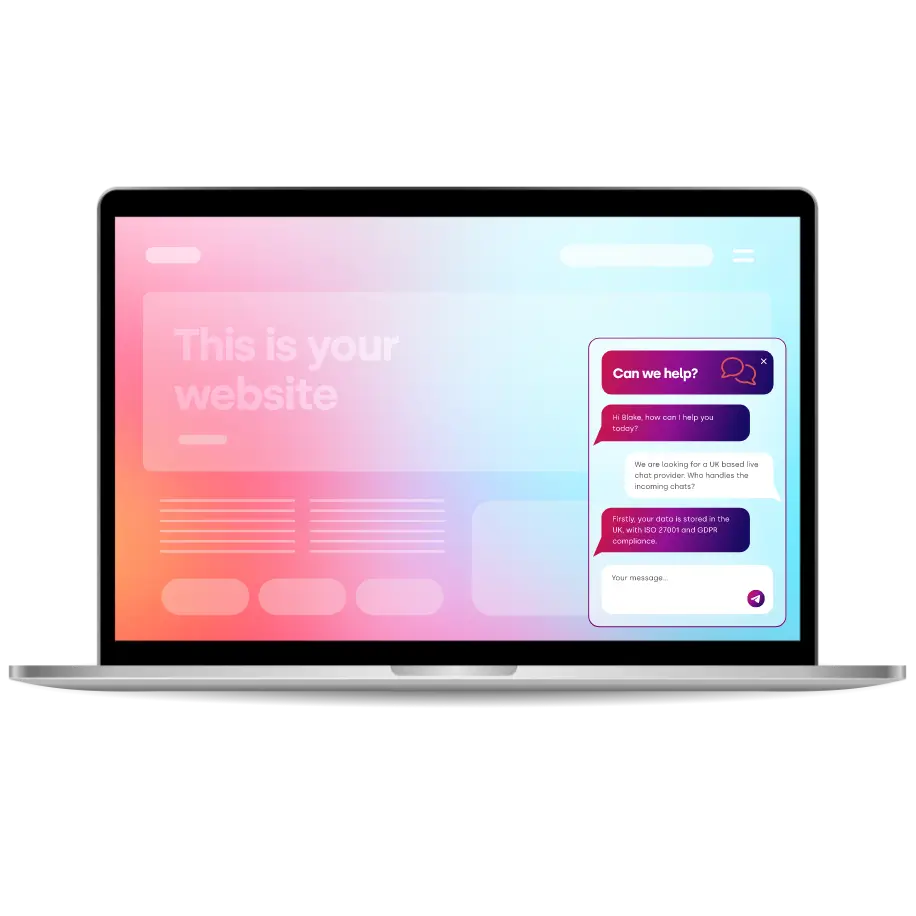
Thousands Trust Us. Will You?
From live chat to AI-powered chatbots and social integrations, Click4Assistance powers real-time engagement - fully UK hosted and trusted across industries.