Find answers to frequently asked questions about Click4Assistance live chat, including chat functionality, features and platform capabilities.
What is Live Chat?
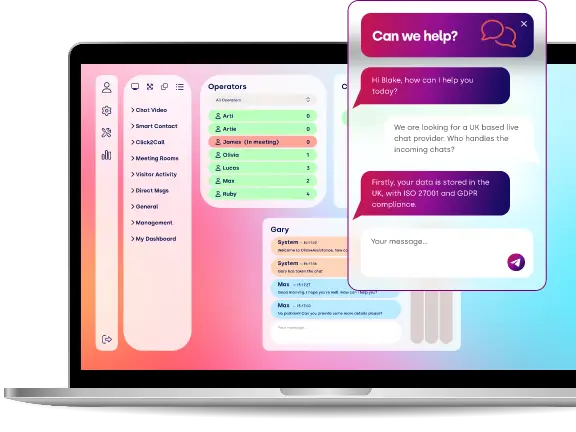
Live Chat is a real-time digital communication channel that enables organisations to communicate directly with website visitors through a secure online chat window. It allows customers to ask questions, request assistance and receive immediate responses without needing to make a telephone call or send an email.
Within the Click4Assistance platform, Live Chat forms part of a wider customer engagement solution and can operate independently or alongside AI Agents, Chatbots, Omnichannel Messaging and Video Chat.
Why should organisations offer Live Chat?
Live Chat enables organisations to provide immediate assistance at the point customers need help.
- Faster response times.
- Improved customer satisfaction.
- Increased sales conversions.
- Reduced telephone demand.
- Lower email volumes.
- Improved first-contact resolution.
- Better customer engagement.
- Increased operational efficiency.
Customers increasingly expect organisations to provide digital communication channels alongside traditional telephone and email support.
How does Live Chat work?
Visitors simply click the Live Chat button displayed on a website.
Depending on an organisation's configuration, the conversation may be routed directly to a human advisor, an AI Agent or a Chatbot. Conversations handled by AI can be transferred seamlessly to human advisors where appropriate.
All conversations are managed through the Click4Assistance platform, providing a consistent interface regardless of the communication channel.
Can Live Chat be customised?
Yes. The appearance and behaviour of Live Chat can be extensively customised to reflect an organisation's branding and operational requirements.
Customers can configure:
- Colours.
- Logos.
- Fonts.
- Welcome messages.
- Buttons.
- Pre-chat windows.
- Dialogue windows.
- Post-chat surveys.
- Offline windows.
- Agent photos.
- Department selection.
- Business hours.
This enables organisations to provide a consistent customer experience aligned with their corporate identity.
Can different departments have different Live Chat configurations?
Yes. Each department can operate independently with its own:
- Chat window.
- Branding.
- Surveys.
- Routing rules.
- Availability.
- AI Agent.
- Queue management.
- Reporting.
This allows Sales, Customer Service, Technical Support and other departments to tailor the customer experience according to their specific requirements.
Can Live Chat support multiple departments?
Yes. The platform supports multiple departments and teams operating from a single platform.
Chats can be routed automatically based on business rules, customer selections, website pages, operating hours, visitor location and other configurable criteria. This helps ensure enquiries are directed to the most appropriate advisor or team.
Can chats be transferred between advisors?
Yes. Advisors can transfer conversations to another advisor or department while preserving the full conversation history.
This enables specialist teams to assist customers without requiring them to repeat information they have already provided.
Can multiple advisors manage chats at the same time?
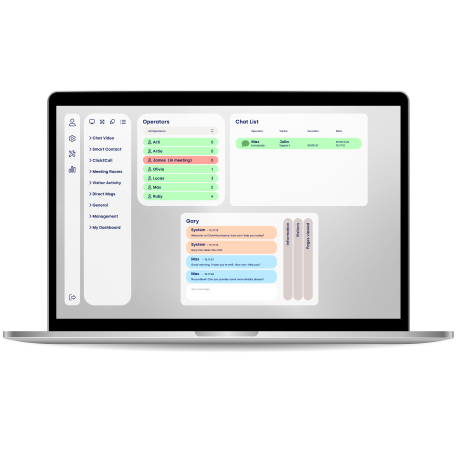
Yes. Each advisor can manage multiple concurrent conversations, subject to administrator-defined limits.
This enables organisations to improve advisor productivity while maintaining service quality. Maximum chat limits can also be configured independently for different user types.
Can customers upload documents during a chat?
Yes. Click4Assistance supports secure two-way file transfer, allowing both advisors and customers to exchange documents during a conversation.
Typical examples include:
- Application forms.
- Proof of identity.
- Images.
- PDFs.
- Supporting documentation.
This reduces the need for separate email exchanges and helps resolve enquiries more efficiently.
Can advisors send documents to customers?
Yes. Advisors can securely send files directly within the Live Chat conversation, allowing customers to receive documents immediately without leaving the chat session.
Common examples include brochures, application forms, user guides and supporting documentation.
Does Click4Assistance support screen sharing?
Yes. Screen sharing enables advisors to securely view a customer's screen during a Live Chat session. This functionality can help resolve technical issues, assist with online forms and guide customers through complex processes without requiring a telephone call.
What is Ghost Text?
Ghost Text allows advisors to see what a visitor is typing before the message is sent.
This enables advisors to begin preparing responses while the visitor is still typing, reducing response times and creating a smoother customer experience.
Ghost Text is particularly beneficial for busy customer service teams managing multiple conversations simultaneously.
Can Live Chat be proactive?
Yes. The platform supports proactive chat invitations that can automatically invite visitors to start a conversation based on configurable business rules.
Examples include:
- Time spent on a page.
- Number of pages viewed.
- Returning visitors.
- Product pages.
- Basket abandonment.
- Specific campaigns.
Proactive engagement can improve customer experience and increase sales opportunities.
Can Live Chat capture leads?
Yes. Live Chat can be configured to collect customer information before, during or after conversations.
Information captured may include:
- Name.
- Email address.
- Telephone number.
- Organisation.
- Enquiry type.
- Custom fields.
Captured information can also be passed into CRM systems using integrations or secure APIs.
Can Live Chat improve website conversions?
Yes. Many organisations use Live Chat to engage visitors while they are actively browsing products or services.
Providing immediate assistance helps answer questions, overcome objections and guide visitors through purchasing or enquiry processes, which can increase conversion rates and reduce abandonment.
Is Live Chat suitable for regulated industries?
Yes. The platform has been designed with security, compliance and auditability in mind, making it suitable for organisations operating within regulated sectors including financial services, healthcare, education, housing associations and the public sector.
Features such as secure authentication, audit logging, role-based permissions and UK-hosted infrastructure support organisations with demanding governance requirements.
Can Live Chat be used alongside AI?
Yes. Live Chat and AI Agents are designed to complement one another.
AI can manage routine enquiries and frequently asked questions, while conversations requiring judgement, empathy or specialist knowledge can be transferred seamlessly to human advisors without disrupting the customer experience.
Is Live Chat accessible?
Yes. The Click4Assistance platform has been developed with support for WCAG 2.2 accessibility principles, helping organisations deliver inclusive digital customer services.
Accessibility features support users with different needs while enabling organisations to meet their accessibility objectives and obligations.
Can Live Chat operate outside business hours?
Yes. Organisations can configure Live Chat to operate differently depending on business hours.
For example:
- Route chats to AI Agents.
- Display alternative messages.
- Offer contact forms.
- Change department availability.
- Provide self-service options.
This ensures customers continue to receive assistance even when advisors are unavailable.
Why choose Click4Assistance Live Chat?
Click4Assistance Live Chat forms part of a broader customer engagement platform rather than operating as a standalone chat solution.
Key benefits include:
- UK-designed, developed, hosted and supported.
- Seamless integration with AI Agents and Chatbots.
- Fully customisable branding and surveys.
- Intelligent routing and department management.
- Two-way file transfer and screen sharing.
- Over 60 reports and dashboards.
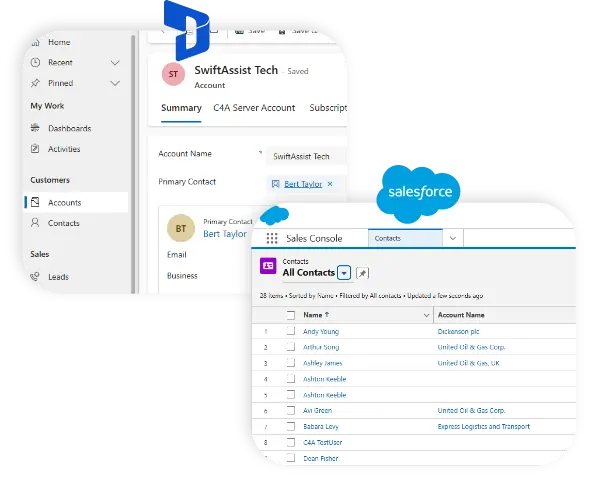
- Microsoft Dynamics 365, Okta and Salesforce integrations.
- Enterprise-grade security with UK-hosted infrastructure.
- Modular architecture that grows with organisational requirements.
This enables organisations to deliver a consistent, secure and scalable customer engagement experience from a single integrated platform.
Can Live Chat be deployed on any website?
Yes. Click4Assistance Live Chat can be deployed on virtually any website by adding a lightweight JavaScript snippet. This approach avoids the need for major website redevelopment and enables organisations to introduce digital customer engagement quickly.
The platform is compatible with most content management systems, custom-built websites and e-commerce platforms.
Can different websites use different chat windows?
Yes. Organisations operating multiple websites or brands can configure unique chat windows, branding, departments, routing rules and surveys for each website while managing all conversations through the same administration platform.
This supports organisations with multiple brands, services or business divisions.
Can Live Chat identify returning visitors?
Yes. Subject to browser permissions and applicable privacy settings, the platform can recognise returning visitors and provide advisors with useful contextual information to support more personalised conversations.
This helps improve continuity and enhance the customer experience.
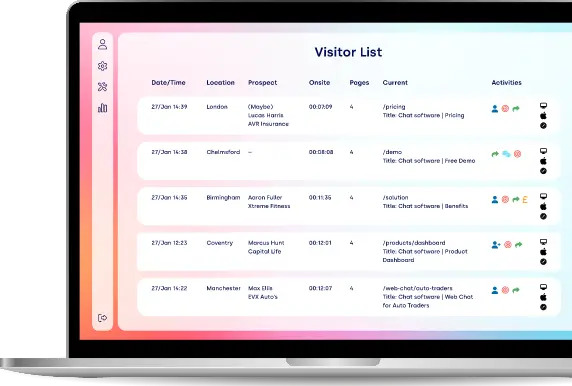
Can advisors see which page a visitor is viewing?
Yes. During a conversation, advisors can view the webpage the visitor is currently browsing. This provides valuable context, allowing advisors to better understand the visitor's enquiry and provide more relevant assistance.
Can advisors monitor visitor navigation?
Yes. Where enabled, advisors can view a visitor's navigation path throughout the website, including the pages viewed before and during a Live Chat conversation.
This additional context helps advisors understand customer intent and identify potential issues or opportunities.
What are post-chat surveys?
Post-chat surveys allow organisations to collect customer feedback immediately after a conversation has ended.
Typical survey questions include:
- Overall satisfaction.
- Advisor rating.
- Ease of use.
- Resolution achieved.
- Additional comments.
Survey responses can be analysed through the reporting suite to support continuous service improvement.
Can surveys be different for each department?
Yes. Each department may have its own pre-chat and post-chat surveys, allowing questions to reflect the specific requirements of individual teams or business functions.
For example, a Sales department may qualify leads, while a Technical Support team may collect product version information before the conversation begins.
Can chats be routed automatically?
Yes. Click4Assistance includes intelligent routing capabilities that automatically direct conversations according to configurable business rules.
Routing can be based on:
- Department selected.
- Business hours.
- Advisor availability.
- Queue length.
- Custom workflows.
This ensures enquiries are directed to the most appropriate resource.
What happens if no advisors are available?
Organisations can define how the platform behaves when advisors are unavailable.
Typical options include:
- Queue the conversation.
- Route to another department.
- Transfer to an AI Agent.
- Display alternative contact options.
- Offer a contact form.
- Display business hours.
- Redirect to self-service resources.
This ensures customers continue to receive assistance even when advisors are unavailable.
Can organisations create departments?
Yes. Departments enable organisations to organise advisors into functional teams such as:
- Sales.
- Customer Service.
- Technical Support.
- Admissions.
- HR.
- Finance.
- Housing.
- IT Helpdesk.
Each department can operate independently while sharing the same platform.