



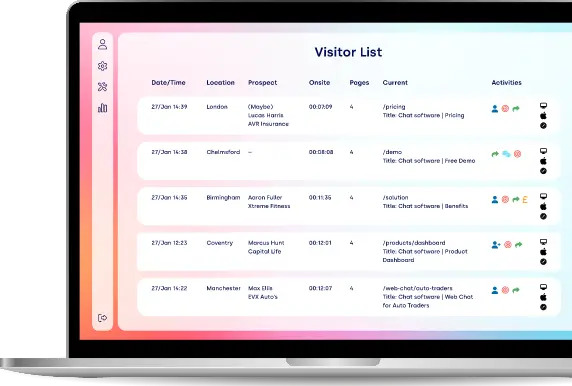










Live Chat Widget: Add Live Chat to Your Website
Add a fully customisable live chat widget to your website with Click4Assistance. Create branded chat buttons and windows, connect visitors with your customer support team and use proactive invitations to encourage conversations.
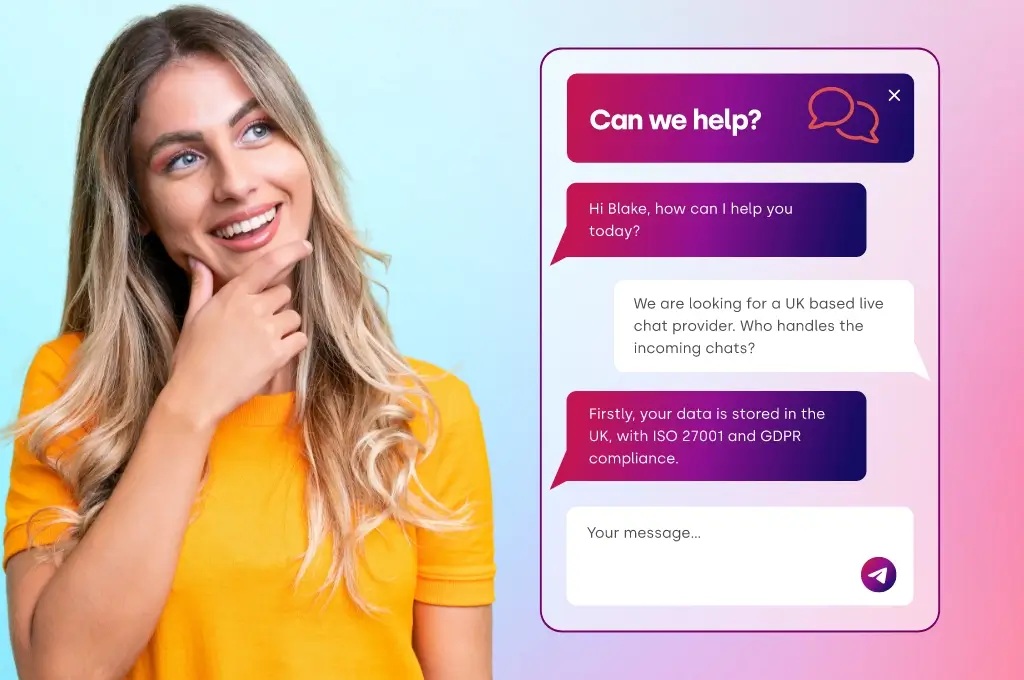
A live chat widget offers a seamless way for visitors to reach out to your business without having to navigate away from the page they're currently on. Usually appearing as a chat button or a floating window, it allows customers to connect with your support or sales teams instantly.
With Click4Assistance, you have the freedom to personalise your live chat widget to match your brand. You can tweak everything from colours and branding to welcome messages, chat window designs, and even proactive invitations.
Whether your goal is to enhance customer support, address pre-sales enquiries or boost engagement on key pages of your website, a well-configured live chat widget makes it simple for visitors to start a conversation. Explore our Live Chat software to discover more about our customer communication tools.
In this guide, we’ll dive into how live chat widgets function, what to keep in mind when setting one up, and how Click4Assistance can help you craft a chat experience that perfectly fits your website.
What is a Live Chat Widget?
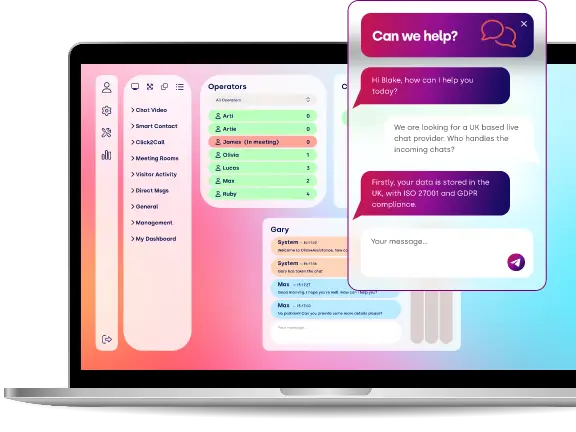
A live chat widget is a handy tool you can add to your website, letting visitors reach out and chat with your business in real-time. It usually features a clickable chat button and a conversation window where customers can ask questions and get the help they need.
These live chat widgets typically connect users with real human customer service agents, but businesses can also use chatbots and AI agents to handle certain conversations automatically.
The key elements include a chat button to kick off the conversation, a branded chat window for messaging, and optional proactive invitations that encourage visitors to join in.
With Click4Assistance, you can customise these features to fit the look of your website and meet your organisation's customer communication needs.
A live chat widget typically has three main parts:
- A chat button (the entry point)
- A chat window (where the conversation happens)
- Optional proactive messages (which encourages users to start a chat before they ask)
It can be run by humans, AI or a mix of both so it’s highly flexible.
In essence it turns your website from a static page into a communication hub where visitors can get answers quickly and easily.
The Chat Button: Your Website's Invitation to Chat
Think of the chat button as the first hello between your website and your visitor. It’s the clickable icon usually in the bottom-right corner that says “Hey we can help!”
Design and placement are key. Bright, contrasting colours and gentle animations grab attention without being too much. Some businesses even add micro copy like “Chat with us!” or “We’re online!” to personalise the interaction. Placement is important - usually in the bottom-right corner - but make sure it’s visible on desktop and mobile.
The Chat Window: Where Conversations Happen
Click the chat button and the chat window opens. This is where the magic happens. A well-designed window has:
- Header: Your branding, agent details or even a welcoming image.
- Message area: The conversation is displayed clearly with chat bubbles for the visitor and the agent.
- Input field: Where visitors can type their messages, with the option to send attachments or emojis.
- Footer or quick links: FAQs, help articles or even a “book a call” feature.
Customisation is key. Colours, fonts, animations and welcome messages make it feel personalised and inviting. Chatbots can automate greetings or respond to simple questions before a human agent takes over.
Proactive Chat: Engage Visitors Before They Ask
Now let’s talk about proactive chat. Instead of waiting for the visitor to initiate contact the widget can pop up with a friendly message like “Need help choosing the right plan?”.
Triggers for proactive chats can be:
- Time-based: Shows up after a visitor has been on a page for a few seconds.
- Behaviour-based: Activates after scrolling, hovering or exit intent.
- URL-based: Triggered on specific pages like pricing or checkout.
The key is subtlety. Friendly conversational language works best, e.g. “Hi there! Can I help you find the right solution?” instead of commands.
Proactive chat works best with human agents. Automation starts the conversation but a seamless handover ensures personalised support and keeps visitors happy and engaged.
Learn more about proactive customer engagement strategies.
How to Add a Live Chat Widget to Your Website
Adding a live chat widget to your website is a fantastic way to let visitors start conversations right from the pages they're exploring. Most hosted live chat platforms utilise a simple JavaScript integration, giving you options to customise how the widget looks and functions.
Step 1. Set Up Your Live Chat Solution
Begin by configuring your Click4Assistance Live Chat solution and pinpointing the website where you want the chat widget to show up.
Step 2. Customise Your Chat Button and Window
Decide on the appearance of the widget on your site. Tailor the chat button, colours, branding, welcome messages, and any information you'd like to gather before a conversation kicks off.
Step 3. Configure Your Customer Support Team
Set up the agents or departments that will handle incoming chats. Determine how enquiries should be directed and what should happen if agents are unavailable.
Step 4. Add the Widget to Your Website
Integrate the Click4Assistance code into your website by following the installation instructions provided for your solution. Depending on your site, this might mean adding the code to a shared template, website configuration, or tag management system.
Step 5. Test the Widget
Check your website on both desktop and mobile devices to ensure the chat button displays correctly, the window opens smoothly, and visitors can easily start conversations.
Make sure to test the online and offline behaviours, along with any proactive chat invitations you’ve set up.
Step 6. Launch and Monitor Performance
Once everything is functioning as it should, make the live chat widget accessible to your visitors. Keep an eye on conversations and engagement to spot opportunities for enhancing your widget's look, placement, and settings.
With Click4Assistance, you can keep fine-tuning the widget as your business and customer support needs evolve.
How Do Live Chat Widgets Work?
A live chat widget is a fantastic tool that links website visitors with a business via real-time messaging. After you install it, a chat button pops up, letting visitors open a conversation window where they can easily send messages straight to your customer support or sales team.
On the backend, the live chat platform takes care of incoming messages, directing enquiries to available agents and providing support through an operator dashboard. Plus, businesses have the option to set up automated greetings, chatbots, and proactive invitations to really elevate the visitor experience.
The Chat Journey: From Click to Conversation
Here's how it works:
- The visitor clicks the chat button. This triggers the live chat widget and opens the chat window.
- A welcome message is displayed. This could be an automated “Hello!” from a chatbot or a customised greeting from a human rep.
- The user types and sends a message. The widget securely captures and sends the message to the live chat server.
- An agent (or chatbot) replies. Depending on your setup, the system either hands the conversation to an available agent or manages it with AI.
- When set up, conversation details are recorded. Chat messages and their related information can be kept based on the organisation's preferences and data retention policies, which helps with reporting and follow-up tasks.
All of this happens in milliseconds. The visitor gets instant responses, while your team manages messages through a custom dashboard or CRM tool.
Automation and AI: Intelligent Support at Scale
Modern live chat tools use AI technology so you can manage many conversations at once. AI chatbots can welcome visitors, answer frequently asked questions, qualify leads and even transfer chats to human reps when needed.
For example, a chatbot could answer initial questions like “What are your business hours?” or “Do you ship internationally?” so human agents can focus on the harder questions.
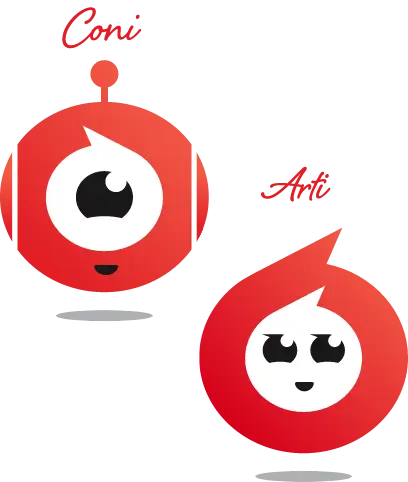
AI-powered chatbots can use natural language processing to interpret customer questions and generate relevant responses, while rule-based chatbots guide visitors through predefined conversation options. With Click4Assistance, businesses can choose the approach that best suits their requirements using Coni, the rule-based chatbot, or Arti, the AI Agent.
Automation also includes proactive chat features. The system can automatically detect when a visitor hesitates during checkout or spends extra time on the pricing page and send a friendly message like “Do you need help with your order?” This gentle nudge often turns uncertain visitors into paying customers.
Being transparent helps build trust. Letting users know that their chats are secure and that their information won’t be shared creates a positive impression of your brand.
In summary, while a live chat widget might seem like a small feature at first, it’s actually a sophisticated system that connects technology, people, and data in real-time. From the moment a user clicks on that chat bubble to when your agent responds, a whole range of processes work together behind the scenes to make sure the conversation flows smoothly, securely, and is personalised just for the user.
Customise Your Live Chat Widget with Click4Assistance
With Click4Assistance, you can easily set up a live chat widget that mirrors your website's branding and aligns with how your business interacts with customers.
Customisable Chat Buttons
You have the freedom to choose how the chat button looks and where it appears on your site. By experimenting with different designs and messages, you can boost engagement on key pages.
Branded Chat Windows
Tailor the colours, layout, messaging, and branding of your chat window to ensure it complements your website's overall vibe, creating a seamless experience for your visitors.
Pre-Chat Forms
Gather essential information from visitors before they connect with a support agent. You can customise the details you want to collect based on your customer service needs.
Proactive Chat Invitations
Prompt visitors to engage in a conversation with proactive chat invitations. These can be strategically placed to offer help when they’re navigating important pages or might need a little extra guidance.
Live Chat and Automated Assistance
Seamlessly connect visitors with your human support team through Live Chat, or enhance the experience by integrating chatbots and AI Agents where it makes sense.
Reporting and Visitor Insights
Take a closer look at chat activity and visitor interactions to gain insights into how customers are using your live chat widget, helping you spot areas for improvement in your communication strategy.
Your Brand, Your Chat Window
Customise every aspect of your chat window and widget from colours to icons for a smooth on-brand customer journey.

Key Benefits of Using a Live Chat Widget
- Instant Support and Satisfaction
One of the biggest benefits of a live chat widget is instant support. Unlike email which can take hours or even days to respond, live chat gives you instant answers. No more waiting for visitors to leave the page.
Imagine this: a customer is on your pricing page, unsure which plan to choose. Suddenly a timely proactive chat pops up and helps and answers questions in real-time. Instead of leaving the page feeling frustrated, the visitor now feels supported and can make a decision.
The chat window is where this magic happens. Its conversational layout, typing indicators and personal touches (agent names or avatars) make interactions feel natural, human and comforting.
- More Conversions and Lead Generation
A live chat widget is not just a support tool but a conversion booster.
When placed on high intent pages like product listings or checkout processes, chat buttons act as gentle nudges. Visitors who are hesitant to buy or sign up get a direct line to help and that increases the chances of conversion.
Proactive chat messages can be a game changer. For example, a visitor is on a subscription page and gets a pop up: “Hi! Need help choosing the right plan?” That one interaction can turn uncertainty into action.
The widget also acts as a lead capture tool. Even if a visitor doesn’t convert right away the chat can collect emails, qualify leads and put information into your CRM so your sales team has follow up opportunities.
- Cost-Effective Support Solution
Live chat support is often more efficient and cost effective than traditional phone support.
Why is this? Because agents can handle multiple chats at once. Instead of one agent taking one phone call, they can support multiple customers at the same time — reducing staffing requirements while still providing great support.
Automation is also a big factor. Chatbots can answer common questions like “What are your hours?” or “Do you ship internationally?” so human agents can focus on more complex issues that require personal attention. This keeps costs low and customers happy.
- Better Brand Perception and Trust
A professional and clean live chat widget improves your brand image. Today’s consumers expect instant communication and having a visible chat button or a nice chat window means your business is available, responsive and modern.
Customising the widget to match your brand’s identity - through colours, fonts and tone - keeps consistency across the user experience. Even well-crafted proactive messages show you care and are paying attention to the visitor’s needs.
Remember, trust is built not just through functionality but through design. Visitors associate a clean and user-friendly chat experience with a trustworthy brand.
- Valuable Insights and Analytics
Every live chat interaction gives you data. By looking at conversation trends, common questions and visitor actions, you can get actionable insights.
For example:
- Which pages are getting the most chat requests?
- Which products or services are getting the most questions?
- How fast are agents responding and are customers happy?
This data not only makes chat more efficient – it shapes your website design, content strategy and overall customer journey. Essentially your live chat widget is a support tool and a business intelligence tool.
- Competitive Advantage
And think about this: if your competitors don’t have real-time support, your live chat widget is a key differentiator. It shows visitors that your business values their time and experience. Even a small increase in engagement can lead to more sales, better retention and more customer loyalty.
From speeding up support to increasing conversions and building trust, the benefits of a live chat widget are clear. It combines real-time interaction, automation and valuable analytics to make a more responsive customer focused website. A simple pop up with a chat button can make a big impact on your profits and overall user experience.
Key Features of a Website Live Chat Widget
When choosing a live chat widget for your website, look for features that make it easy for visitors to start conversations and for your team to provide efficient support. The most useful capabilities include customisation, mobile compatibility, real-time messaging, proactive engagement and integration with existing business systems.
- Customisable chat buttons and branding
- Mobile-friendly responsive design
- Real-time messaging
- Proactive chat triggers
- CRM and helpdesk integrations
- AI chatbot compatibility
Best Practices for Designing and Using Live Chat Widgets
- Make the Chat Button Visible
The chat button is the first thing visitors see. Make it visible but not obtrusive, use contrasting colours, gentle animations and micro copy like “Chat with us!” Experiment with its position especially on mobile devices to increase click through rate.
- Make the Chat Window Intuitive
A simple and user-friendly chat window encourages more engagement. Add typing indicators, chat bubbles and welcoming messages. Quick replies or shortcuts can speed up response times. If a bot is in use make sure there’s a seamless transition to human agents for more complex questions.
- Use Proactive Chat Wisely
Proactive chat messages can increase conversions when timed right. Use behaviour-based triggers like scroll depth or time on page and keep the tone friendly: “Hi! Can I help you find the right plan?” Always give users the option to close the pop up.
- Find the Right Balance of Automation and Human Touch
Automation can handle repetitive questions but personalised support should be handled by humans. Be transparent – make it clear when visitors are talking to a bot vs a live agent.
- Test and Optimise Continuously
Test A/B the button position, chat window design and proactive messaging timing. Keep an eye on analytics like engagement, response time and satisfaction ratings to always improve your widget.
Live Chat Widget vs Contact Forms: What's the Difference?
Traditional contact forms create delays between businesses and potential customers. A live chat widget allows website visitors to ask questions instantly, receive real-time responses and continue browsing without leaving the page.
Unlike contact forms, live chat widgets reduce friction during the buying journey. Visitors can get immediate answers about pricing, products or services, helping businesses increase conversions and reduce abandoned enquiries.
- Instant real-time communication
- Higher engagement rates
- Faster lead qualification
- Improved customer satisfaction
- Reduced bounce rates
Contact forms remain useful for collecting enquiries when immediate assistance isn't available, while live chat widgets provide an opportunity for real-time interaction. Many businesses benefit from offering both options, giving visitors a choice based on their needs and the availability of customer support.
Common Mistakes to Avoid with a Live Chat Widget
Even the best live chat widget can fail if it hasn’t been implemented right. Here are some common pitfalls to watch out for:
- Too Aggressive Proactive Chats
Pop-ups that show up too often or too soon will annoy visitors instead of helping them. Timing is everything - give users a few seconds to get used to the page before sending a proactive message.
- Not Mobile Optimised
A live chat widget that looks good on desktop but overlaps with content or disappears on mobile will frustrate users. Make sure both the chat button and window are fully responsive for smartphones and tablets.
- Not Brand Consistent
The chat widget should match your website’s colours, fonts and tone. A widget that doesn’t match feels out of place and can harm your brand.
- Slow Response Times
A chat window is only good if someone is there to respond. Long wait times will frustrate visitors and lose you opportunities. Make sure you have enough staff and consider using automated greetings to keep users engaged until an agent is free.
- Relying Too Much on Automation
While chatbots are helpful, too much of them can make the experience impersonal. Make sure users can easily escalate to a human agent for complex or sensitive issues.
How to Choose the Right Live Chat Widget Tool
Choosing the right live chat widget is crucial. With so many options out there, you need one that fits your business needs, integrates with your website and improves customer experience.
Key Features
A good live chat widget should have
- Customisable live chat widgets and windows that match your brand.
- Proactive messaging and behavioural triggers to engage visitors at the right moment.
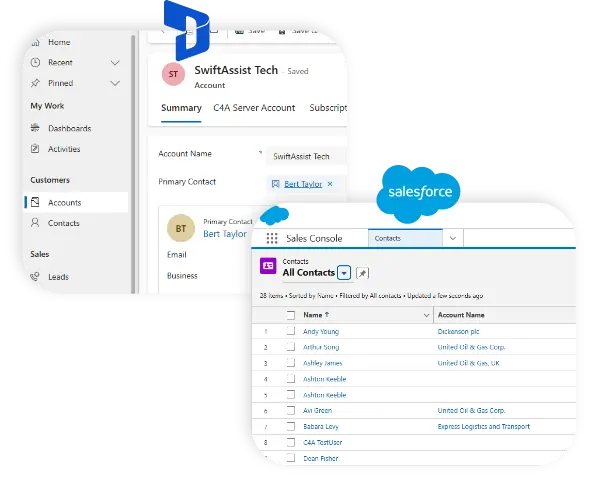
- Integration with your CRM, marketing automation or helpdesk tools to centralise all customer data.
- Mobile and multi-language support for a global audience.
- Analytics and reporting to track engagement, agent performance and customer satisfaction.
Ease of Implementation
Some widgets just need a simple JavaScript snippet, others are plugins for platforms like WordPress, Shopify or Magento. How easy is it to install, configure and maintain your chosen tool?
Support and Uptime
A tool’s effectiveness is determined by its uptime and customer support. Make sure the provider delivers reliable service and quick technical support. Any downtime or issues with your chat widget can harm customer satisfaction and conversion rates.
Automation and Human Touch
Look for a tool that offers a balance of automation and human support. Chatbots can handle FAQs and repetitive questions, but live agents should be ready to jump in for more personalised help when needed.
Scalability and Pricing
Think about your future needs. Can the tool handle more traffic? Does it support multiple agents or departments? Make sure the pricing plan matches your team size and growth.
Choosing the right live chat widget can make the difference between a clunky and frustrating or smooth and engaging one, and ultimately boost conversions, satisfaction and loyalty.
Frequently Asked Questions (FAQs)
- What is a live chat widget?
A live chat widget is a small interactive element on your website that allows visitors to chat with your business in real time. It’s usually a chat button, chat window and optional proactive messages.
- How does a live chat widget improve customer experience?
It offers immediate support, reduces wait times and gives visitors answers straight away. Tailored interactions and proactive engagement makes users feel heard and understood.
- Can I integrate a chatbot with a live chat widget?
Yes. Chatbots can handle repetitive questions, qualify leads and provide instant responses, while human agents can handle more complex or personalised conversations.
- Where should I place my live chat widget?
The bottom right is the usual place, but it should be noticeable, not intrusive and mobile optimised. Experiment with placement to increase clicks and engagement.
- What are the common mistakes to avoid with live chat widgets?
Avoid pop-ups, delayed responses, not mobile optimised, over reliance on automation and inconsistent branding. Timing, personalisation and usability are key.
- How Do I Add a Live Chat Widget to My Website?
Adding a live chat widget is usually as simple as inserting a small integration script into your website. With Click4Assistance, businesses have the flexibility to set up their chat button, personalise the chat window, and link incoming enquiries directly to their customer support team. The method of installation can vary based on the platform and setup of your website.
- Can I Personalise My Live Chat Widget?
Absolutely! Click4Assistance gives businesses the ability to tailor their chat buttons and windows to match their brand identity. This includes customising the look, messaging, and adjustable conversation features, ensuring a seamless experience for visitors on your site.
- Does a Live Chat Widget Function on Mobile Websites?
Yes, live chat widgets can be optimised for responsive websites, allowing visitors to reach customer support whether they're on a desktop or a mobile device. It's important for businesses to test the placement of the chat button, the size of the chat window, and overall usability to guarantee a smooth experience across various screen sizes.
Conclusion
A live chat widget is a fantastic way for visitors to your website to easily reach out to your business, ask questions, and get real-time help—all without having to navigate away from the page they're currently on.
With Click4Assistance, you can craft a unique live chat experience that reflects your brand through customisable chat buttons, chat windows, and proactive invitations. This widget allows visitors to connect directly with your customer support team, while chatbots and AI agents can step in to provide extra automation when needed.
Whether your goal is to enhance customer service, boost enquiries, or assist visitors during their purchasing journey, Click4Assistance has the tools you need to create a live chat experience that fits your organisation perfectly.
Check out our Live Chat software or schedule a personalised demo to discover how a Click4Assistance live chat widget can enhance your website.
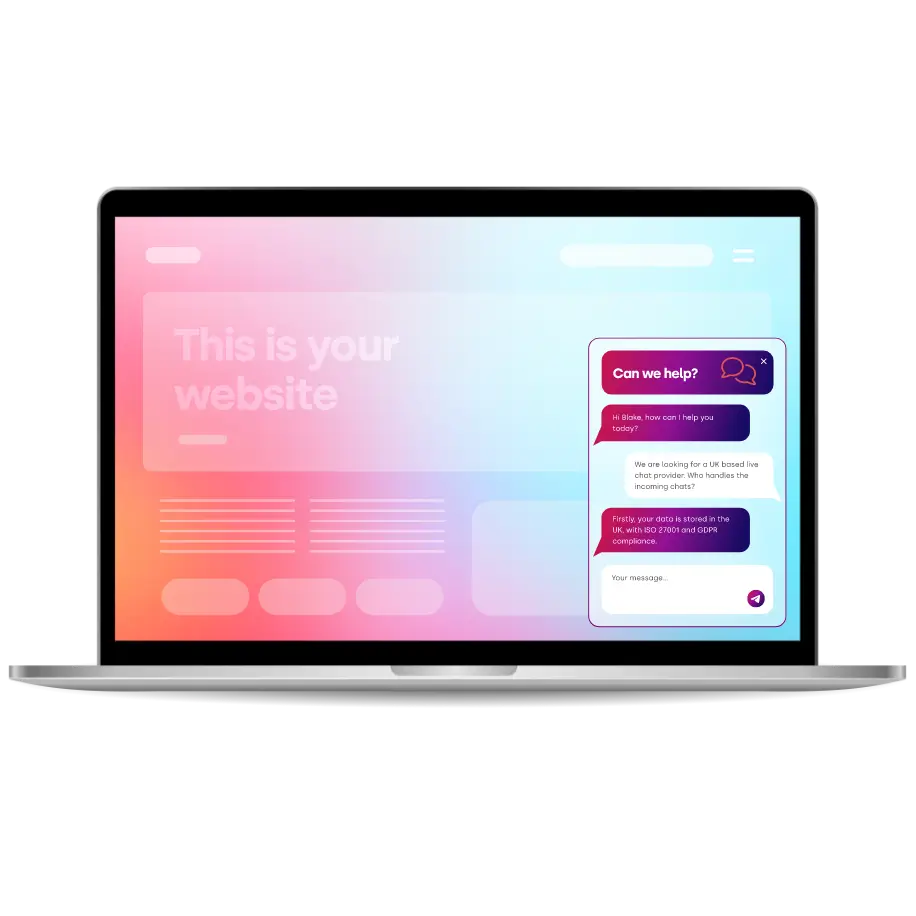
Thousands Trust Us. Will You?
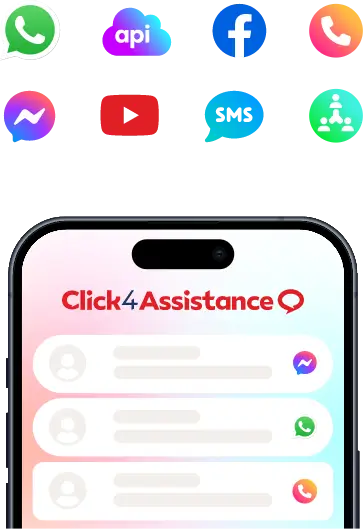
From live chat to AI-powered chatbots and social integrations, Click4Assistance powers real-time engagement - fully UK hosted and trusted across industries.