













Why WordPress Maintenance Is Essential for a Reliable Business Website


WordPress gives businesses enormous flexibility. Companies can use it for everything from straightforward brochure websites and blogs to membership platforms, booking systems, and WooCommerce stores. Its huge ecosystem of themes and plugins also means a WordPress website can continue evolving as a business grows.
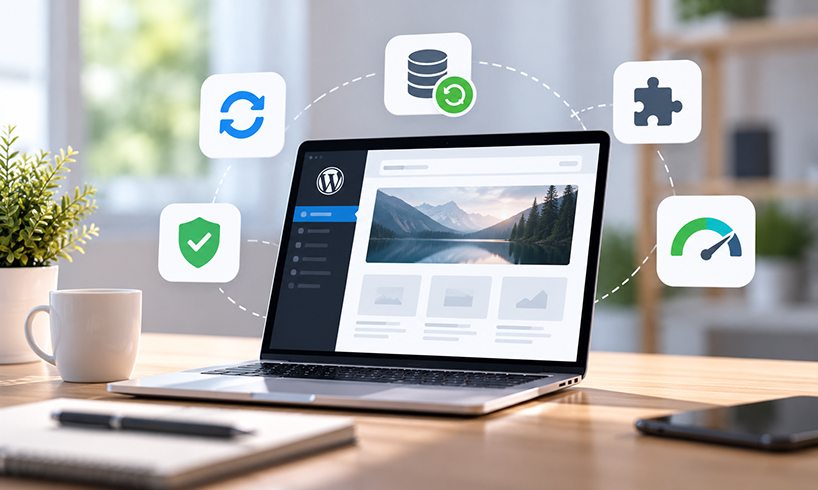
That flexibility comes with an important responsibility: the website needs ongoing attention. WordPress core, themes, plugins, databases, backups, security, and performance all require monitoring. Neglecting them can eventually result in compatibility problems, slow pages, broken functionality, or security vulnerabilities. For businesses without the time or technical resources to handle these tasks internally, professional WordPress maintenance can provide a structured way to keep a site updated, monitored, and working as expected.
Why WordPress Needs Regular Maintenance
A WordPress website is not a static collection of pages. It is a content management system supported by several interconnected components.
WordPress itself receives updates, while plugin and theme developers release their own new versions. These updates may introduce features, resolve bugs, improve compatibility, or address security issues.
Because these components interact, installing an update is not always as simple as clicking a button and forgetting about it. A plugin update could conflict with another plugin or behave differently with the current theme. Regular maintenance makes updates a controlled process rather than something businesses only think about when a problem appears.
WordPress Core Updates Matter
The WordPress core software provides the foundation of the website, so keeping it appropriately updated is fundamental.
Updates can include security fixes, maintenance releases, bug fixes, and new functionality. Allowing a website to remain on an outdated version for long periods can create unnecessary risks and may eventually cause compatibility problems with newer plugins or themes.
However, important updates should be approached carefully. Having a recent backup and checking critical functionality afterwards can reduce the risk of an update creating an unnoticed problem.
Plugins Require Particular Attention
Plugins are one of WordPress's greatest strengths. They can add contact forms, live chat, SEO functionality, ecommerce tools, analytics, caching, memberships, and countless other features.
They can also become one of the biggest maintenance challenges.
A business website may rely on numerous plugins developed by different companies. Each has its own update schedule and compatibility requirements. Plugins that are abandoned, unnecessary, or no longer supported can create problems.
Regularly reviewing installed plugins is therefore sensible. Remove software that is genuinely no longer required, keep active plugins appropriately updated, and pay attention to whether developers continue supporting the tools your website depends upon.
Themes Need Maintenance Too
The WordPress theme controls much of a site's presentation and may also provide important functionality.
Themes can receive updates just like plugins. Ignoring those updates can create compatibility or security concerns, particularly when a theme contains complex functionality or integrations.
Businesses using customised themes need to be especially careful. Updating a parent theme without correctly structured customisations can sometimes affect previous changes. This is one reason developers commonly use child themes and other established WordPress development practices when customising sites.
Backups Should Never Be an Afterthought
Every important WordPress website should have a reliable backup strategy.
A useful backup generally needs to account for both website files and the database. The database is particularly important because WordPress stores content, settings, user information, and other essential data there.
Backup frequency should reflect how frequently the website changes. A relatively static company website may have different requirements from a busy WooCommerce store receiving orders throughout the day.
Crucially, a backup is only valuable if it can actually be restored. Businesses should understand where backups are stored, how long they are retained, and what the restoration process involves.
Security Is an Ongoing WordPress Task
WordPress's popularity makes good security practices particularly important.
Maintenance should include keeping software current, using appropriate access controls, removing unused accounts, reviewing administrator privileges, and using strong authentication practices. Hosting configuration and server-level security also play an important role.
Businesses should pay particular attention to who has administrator access. Former employees, old developers, or agencies may still have accounts long after they require them.
No maintenance routine can guarantee that a website will never experience a security incident. However, good WordPress hygiene can reduce avoidable risks and make it easier to respond when something unusual happens.
Performance Can Deteriorate Over Time
A WordPress website that performed well when launched will not necessarily remain fast forever.
New plugins may be installed, images uploaded without optimisation, databases may accumulate unnecessary information, and third-party scripts can add extra loading time. A website can gradually become slower without anyone making one obviously damaging change.
Ongoing performance checks can identify these issues before they become severe.
Caching, image optimisation, database housekeeping, suitable hosting, and careful plugin selection can all contribute to better WordPress performance. The correct solution depends on how the particular website has been built.
WooCommerce Sites Need Extra Care
For ecommerce businesses, WordPress maintenance becomes even more important because WooCommerce sites contain many moving parts.
Products, customer accounts, payments, delivery options, transactional emails, discount codes, and third-party integrations may all depend on WordPress functioning correctly.
An apparently small technical issue could affect checkout or another important part of the buying journey. After significant updates, businesses should therefore test key ecommerce processes rather than assuming that a homepage loading correctly means everything else works.
Regular backups are also particularly important because an ecommerce database can change frequently as new orders arrive.
Test Important Features After Updates
One of the most overlooked parts of WordPress maintenance is functional testing.
A website can appear normal at first glance while an important feature has stopped working. Contact forms may fail to send, a mobile menu might stop opening, or a payment integration could develop a problem.
After updates, check the parts of the website that matter most to the business. That might include forms, navigation, search, account areas, checkout processes, live-chat tools, and other integrations.
Testing turns maintenance from a technical checklist into something directly connected with the customer experience.
WordPress Maintenance Protects a Business Asset
A company website is often a central part of its sales, marketing, customer service, and communication. Treating WordPress as something that only requires attention when it visibly breaks is therefore a risky approach.
Regular maintenance keeps the focus on prevention. Updates can be managed, backups monitored, plugins reviewed, security practices improved, and important functionality tested before minor issues become larger problems.
WordPress remains popular partly because it is so adaptable. Businesses can add features, publish content, sell products, and integrate useful services without rebuilding their entire digital presence. But that flexibility works best when the underlying website receives consistent care.
A well-maintained WordPress site is not simply a tidier technical system. It provides a more dependable foundation for the business that relies on it every day.