












Create a Chatbot for Your Website - 2026 Guide
Looking to create a chatbot for your website but don't have any coding skills? No worries! This all-in-one guide for 2026 walks you through the essential steps.
Ever wondered what it means to create a chatbot? Creating a chatbot is all about designing, building, and launching an automated conversational system on a website or platform. This system interacts with visitors, answers their questions, gathers leads, and helps guide user experiences - often without requiring any coding skills.
It has never been more straightforward or crucial for businesses in the UK to enhance customer engagement, automate support, and improve conversion rates. Utilising Click4Assistance’s no-code chatbot, you can develop a chatbot for your website – no technical expertise or complex configurations necessary.
Are you seeking a basic chatbot for your website to address frequently asked questions, an advanced conversational AI for business websites, or a sophisticated AI chatbot for customer service and support? We possess all the resources that you require to design, launch, and manage chatbots swiftly and effortlessly.
Interested in incorporating a chatbot into your site? Discover how to integrate a chatbot into your website and begin enhancing your customer experience today.
What is a No-Code Chatbot?
A no-code chatbot is a virtual assistant you can build and launch without writing code. These bots use visual interfaces and drag-and-drop functionality so you can define how the bot talks to users, what questions it asks and how it responds – no coding required.
Instead of waiting weeks or months for IT teams or developers to deliver a working chatbot, you can launch one in under an hour from a browser-based dashboard.
Features of No-Code Chatbots
Modern no-code platforms offer a lot of tools to make chatbot creation easy including:
- Prebuilt conversation templates: Choose from templates for lead capture, FAQs, product support and more.
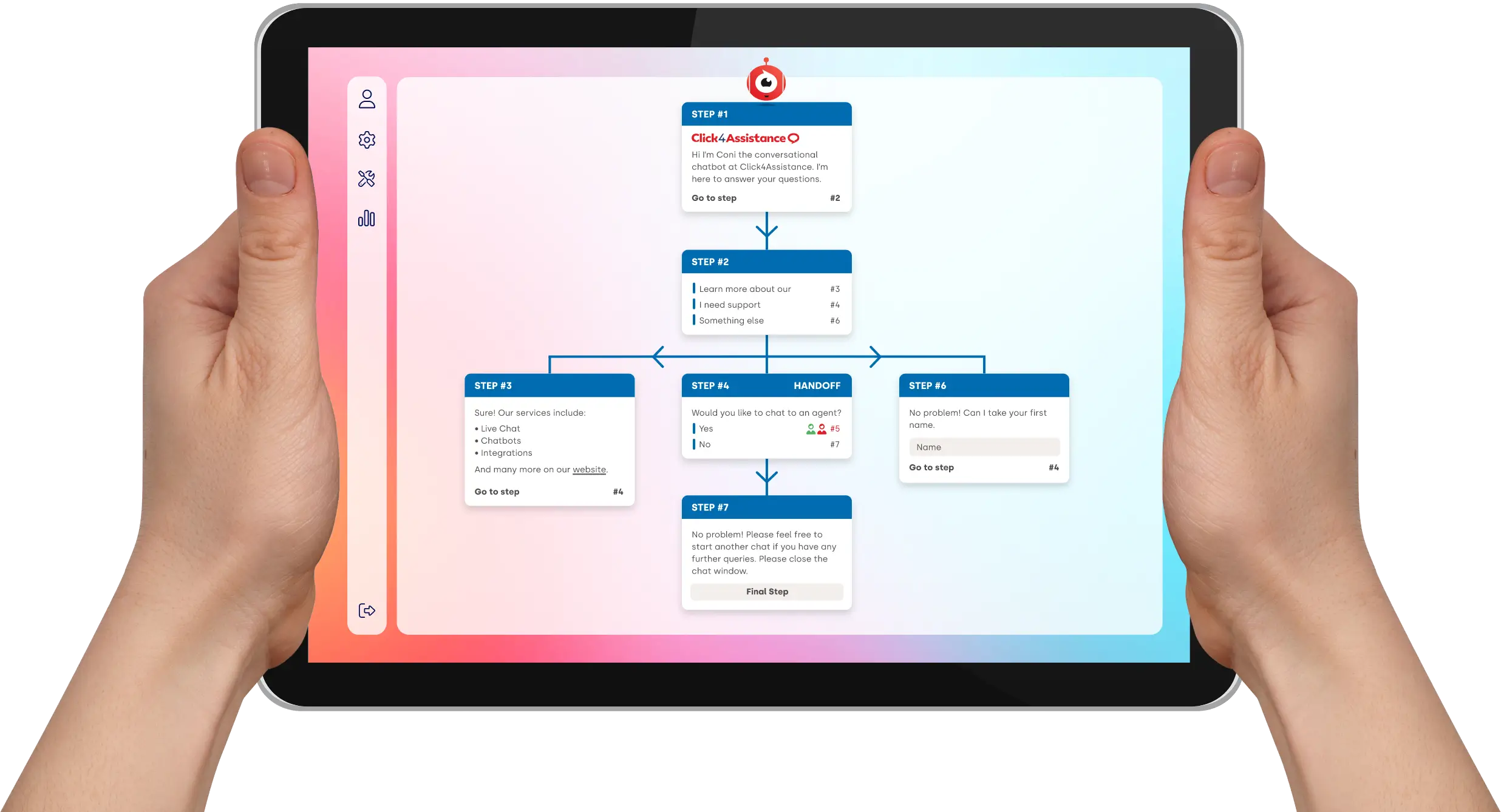
- Visual conversation designers: Drag-and-drop blocks for messages, questions, buttons and conditional responses.
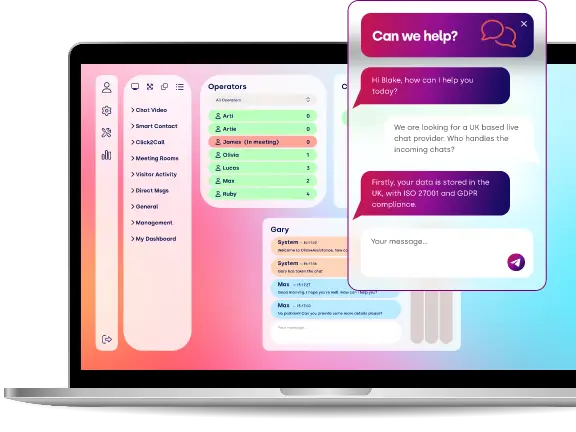
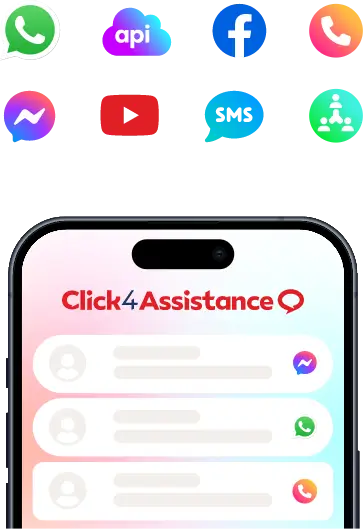
- Multi-channel deployment: Chatbots can run on your website, SMS, Facebook Messenger, WhatsApp or live chat widgets.
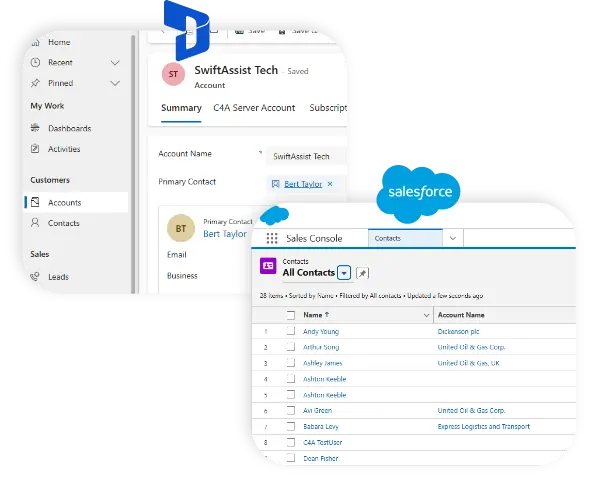
- CRM and live chat integration: Seamless sync with CRM tools and live agent platforms.
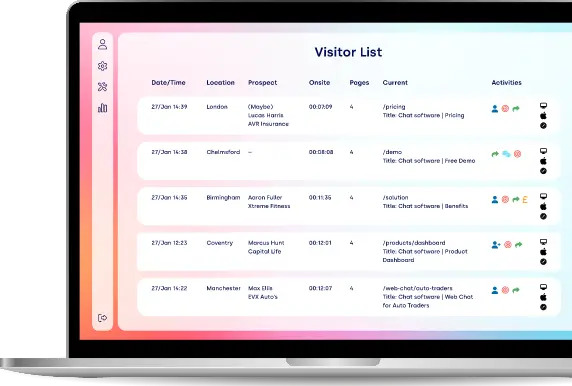
- Built-in analytics: See chatbot performance, identify drop-off points and optimise based on real-time user data.
By removing technical barriers, no-code chatbot builders let teams in marketing, sales and customer service take control of digital engagement.
Why Do You Need a Chatbot for Your Business?
As customer expectations change, so must the tools we use to meet them. A chatbot is more than automation – it’s consistency, speed and convenience in your online experience so you can build trust with visitors from the very first interaction.
For growing businesses, especially small and medium sized enterprises (SMEs), a chatbot levels the playing field. You can offer enterprise level service without the cost. Whether you have a small team or operate across multiple time zones, a chatbot means no customer query goes unanswered, regardless of your working hours.
Plus, chatbots can be customised to be your brand voice and tone so your business has a consistent personality across every conversation. This means a more human like, engaging experience that reassures customers and builds loyalty over time. You’re not just helping – you’re building relationships.
The benefits extend internally too. By taking over the repetitive and time-consuming tasks, chatbots free up your support agents to focus on the complex issues, improving job satisfaction and overall efficiency. This blend of automation and human input creates a seamless support ecosystem that scales with your business.
And with integrations into CRM systems, email platforms, calendars and payment gateways, chatbots are more than standalone tools – they’re powerful connectors that glue your entire customer journey together. From capturing leads to scheduling services or processing orders, chatbots make sure everything works together to deliver smooth, frictionless experiences.
In a world where speed, personalisation and availability are non-negotiable, a chatbot isn’t just a nice to have – it’s a key part of future proof business.
As Forbes reports, no-code platforms are now central to enterprise systems, empowering teams to deliver digital tools and automation without long development cycles or technical bottlenecks.
See Coni the Chatbot in Action for Automotive Industries
From automotive to finance and education, our industry-tailored chatbots are designed to meet your specific needs. Discover how chatbots can enhance engagement and streamline customer experiences.
Benefits of a No-Code Chatbot
1. Automate at Scale
Chatbots are built for volume. Unlike human agents, they don’t need breaks, shifts or overtime pay and never get overwhelmed. Whether you’re dealing with a lunchtime rush or an overnight surge in traffic, a chatbot can:
- Handle thousands of conversations at once
- Keep tone and messaging consistent
- Respond instantly, 24/7
This makes them perfect for businesses with seasonal spikes, running campaigns or expanding globally – so no customer is ever left waiting.
2. Improve Customer Experience
Today’s consumers value speed, convenience and personalisation. Chatbots enhance your customer journey by delivering real-time, relevant help from the very first click. They can:
- Greet new visitors with a welcome message
- Offer product or service suggestions based on behaviour
- Help users navigate your site, forms or payment systems
- Answer pre-sale questions instantly
This means smoother interactions, higher customer satisfaction and stronger brand loyalty – especially for digital-first users who prefer self-service.
3. Boost Team Efficiency
Your customer support team should be focused on high-value interactions – not repeating answers to basic, routine questions. Chatbots act as a frontline filter, so your human staff can:
- Focus on complex or sensitive issues
- Manage fewer tickets with more impact
- Handle escalations better
With fewer interruptions and more automation, your team becomes faster, more strategic and less prone to burnout – making support more sustainable as your business grows.
4. Drive More Conversions
Chatbots don’t just wait for questions – they can initiate intelligent, context-aware conversations that drive results. By monitoring user intent and behaviour in real-time, your chatbot can:
- Offer limited-time incentives to users about to leave
- Present dynamic product recommendations
- Invite hesitant buyers to ask questions or book a demo
- Guide leads through sales funnels
This proactive engagement keeps prospects moving forward and prevents indecision from turning into lost revenue.
5. Reduce Support Costs
Hiring, training and managing a full-time support team can be costly—especially if you need 24/7 coverage. A chatbot takes the pressure off by taking on a big chunk of the workload. Benefits include:
- Fewer support agents overall
- Lower average handle time
- Less peak hour staffing pressure
- Cost-effective out of hours service
Whether you’re a small business looking to scale or an enterprise looking to streamline, a chatbot can save you on support costs while maintaining quality.
How to Create a Chatbot for Your Website in 5 Easy Steps
You don’t need coding skills or a tech team to build a fully functioning chatbot. Thanks to no-code platforms, most businesses can launch a chatbot that delivers results fast. Here’s a simple roadmap to get you started:
1. Define Your Goal
Before diving into chatbot development, it is crucial to pinpoint its purpose.
Think about these questions:
- Are you aiming to streamline customer support?
- Do you want to gather and qualify leads?
- Is your objective to increase product sales?
- Would you like to set up appointments or demos?
By clarifying your chatbot’s primary goal, you can design conversation flows that prioritise measurable outcomes instead of just offering generic responses.
2. Choose the Right Chatbot Builder
To create a chatbot that really works for you, start by picking a platform that aligns with your technical know-how and business needs.
Here are some things to think about:
- Look for no-code or drag-and-drop options for building your chatbot.
- Check for features that include AI and Natural Language Processing (NLP).
- Make sure it can integrate with your CRM and other third-party services.
- Consider options for custom branding to make it your own.
- Look for capabilities that offer analytics and reporting.
The best chatbot builders let you design, test, and launch your chatbot all on your own, so you won't need to rely on a developer.
3. Design the Conversation Flow
A truly effective chatbot does more than just react - it's well-organised and strategic in its approach.
When you’re building your chatbot, consider these steps:
- Map out common user questions and their paths
- Set up clear action routes for tasks like purchasing, booking, or asking questions
- Add fallback responses for when users input something unclear
- Offer options to escalate to a human representative when needed
Modern AI chatbots utilise contextual understanding to foster a more natural conversation, but having a solid conversational design is still essential.
4. Integrate with Your Website and Systems
Once your chatbot is up and running, it's essential to connect it with the tools you already use.
Here are some common integrations you might consider:
- CRM systems to capture leads
- E-commerce platforms for tracking orders
- Calendar systems to manage bookings
- Support ticketing systems
These integrations transform your chatbot from a simple chat tool into a powerful business assistant.
5. Test, Launch, and Optimise
Before you hit that live button, make sure to:
- Test out conversation flows in different scenarios
- Check how well it works on mobile devices
- Keep an eye on how accurate the responses are
- Confirm that everything complies with GDPR and data regulations
Once you're launched, dive into the analytics to track:
- Engagement rates
- Conversion rates
- Where users are dropping off
- Customer satisfaction levels
Remember, ongoing optimisation is key. The most successful companies see chatbot development as a journey of continuous improvement, not just a one-time setup.
“We introduced a straightforward lead qualification bot on our services page, and the results have been impressive! In just the first month, it helped us capture 40% more enquiries and cut our phone call volume in half.”
- Marketing Manager, Midlands-based law firm
Common Use Cases Across Different UK Industries
Chatbots have shown their flexibility by transforming customer interactions across many sectors in the UK. Here’s a look at how different industries are using chatbots to improve service, efficiency and growth:
- Retail & eCommerce
From browsing to post-purchase support, chatbots cover the whole shopping journey by:
- Offering personalised product recommendations based on user preferences and browsing history
- Providing exclusive discounts or promo codes to first-time visitors or loyal customers
- Managing common queries such as order tracking, returns, refunds and stock availability
- Helping with size guides, payment options and loyalty programme details
By providing fast and relevant support, retailers increase conversion rates and customer satisfaction.
- Healthcare
In healthcare, chatbots play a key role in improving access and patient engagement:
- Simplifying appointment booking and sending automatic reminders to reduce no-shows
- Offering symptom checkers to guide patients on when to see a doctor
- Providing instant access to information on opening hours, vaccination schedules and nearby clinics
- Supporting patient triage and directing urgent cases to the right resources
These features help healthcare providers deliver timely and accurate support and reduce pressure on staff.
- Education
Educational institutions use chatbots to streamline admissions and student support by:
- Guiding prospective students through available courses, entry requirements and application deadlines
- Answering common admissions questions instantly, from tuition fees to scholarship eligibility
- Scheduling campus visits, open days or virtual tours without human intervention
- Helping with enrolment, course registration and exam timetables
This creates a personalised experience that improves recruitment and student satisfaction.
- Financial Services
Banks, insurers and lenders use chatbots to offer secure and convenient support with financial matters:
- Helping customers with mortgage or loan application processes by clarifying required documents and steps
- Providing balance updates, recent transactions and payment reminders
- Guiding users through complex forms such as Know Your Customer (KYC) checks or insurance claims
- Offering product recommendations based on financial goals and risk profiles
These chatbots increase engagement and security.
- Estate Agents
Estate Agent firms use chatbots to speed up lead qualification and client interactions:
- Collecting key information on property preferences like budget, location and size
- Scheduling property viewings and virtual tours with automated calendar integration
- Answering FAQs about neighbourhood amenities, transport links and floorplans* New listings or price changes
This helps agents focus on serious buyers and speeds up the sales process.
- Hospitality and Travel
In hospitality and travel, chatbots make life easier for customers and increase bookings by:
- Managing bookings for hotels, flights or holiday packages 24/7
- Recommending local attractions, restaurants and travel tips based on the guest’s itinerary
- Promoting seasonal offers, room upgrades and loyalty programmes
- Handling cancellations, refunds and special requests
This level of service increases guest experience and repeat business.
In short, if you interact with customers online, there’s a chatbot use case that will add value. Whether you’re improving support, driving sales or streamlining operations, chatbots are scalable and cost-effective solutions for your industry.
“Our chatbot assists us in handling appointment scheduling and frequently asked questions. It functions as a 24/7 receptionist - customers appreciate it, and it has saved us thousands in staffing costs”
- Practice Manager, private dental clinic, Surrey

Powering Customer Engagement Across All Industries
From healthcare to finance, retail to education, our chat platform is designed to meet the unique needs of your UK business. It boosts customer engagement across all industries with customised solutions.
Frequently Asked Questions (FAQs)
- How do I create a chatbot for my website?
To create a chatbot for your website, start by figuring out what you want it to achieve - whether that's providing support, generating leads, making sales, or handling bookings. Next, choose a no-code chatbot builder that suits your needs. After that, design the conversation flow, link it to your CRM or e-commerce platform, run some thorough tests, and then go ahead and launch it on your site.
- Can I create a chatbot without coding?
Absolutely! Most of today’s chatbot platforms come equipped with user-friendly drag-and-drop builders and pre-made templates, making it super easy to create a chatbot without any coding experience.
- How long does it take to create a chatbot?
The time it takes to develop a chatbot really depends on how complex it is. For instance, you can whip up a simple FAQ chatbot in just a few hours. However, if you're looking at a more advanced AI chatbot that integrates with CRM systems, payment options, or booking features, you might be looking at several days for setup and testing.
- What is the best platform to create a chatbot?
Finding the right platform really depends on what you need. Look for a chatbot builder that offers eamless integrations with CRM systems and other third-party tools, performance analytics and tracking capabilities, support for multiple deployment channels and security features that meet GDPR standards.
- How much does it cost to create a chatbot?
The costs associated with chatbots can vary quite a bit based on their features and complexity. For instance, you can find basic plans for no-code chatbot builders that start with fairly affordable monthly subscriptions.
Ready to Create a Chatbot for Your Website?
Creating a chatbot has become a simple task that anyone can tackle, not just developers. By 2026, businesses of all sizes will have the ability to create chatbots using no-code solutions, AI-powered platforms, and ready-made templates designed to fit real business needs.
Whether you want to enhance customer support, generate more leads, increase sales conversions, or provide 24/7 assistance, the right chatbot can transform how your website engages with visitors.
By following the step-by-step approach outlined in this guide—defining your goals, choosing the right chatbot builder, designing clear conversations, integrating your systems, and continually improving performance—you can launch a chatbot that delivers real results.
If you’re ready to create a chatbot that acts as a true digital assistant for your business, now is the ideal time to get started. The sooner you implement smart automation on your website, the quicker you’ll notice boosts in engagement, efficiency, and revenue.
Thousands Trust Us. Will You?
From live chat to AI-powered chatbots and social integrations, Click4Assistance powers real-time engagement - fully UK hosted and trusted across industries.