








How to Create a Chatbot for Customer Service and Support
Learn how to create a chatbot for customer service and support with Coni, the chatbot builder from Click4Assistance. Create automated dialogues, answer FAQs and give your customers immediate assistance.

Creating a chatbot for customer service and support is a game changer for businesses - it lets them automate repetitive customer enquiries and guide customers through the enquiry process and provide instant support, without having to keep a human available all the time.
With a no-code, rule based chatbot for website like Coni from Click4Assistance, UK companies are able to build out structured customer conversations using a pre-determined set of questions, responses and conversation paths - this means you can automate loads of routine enquiries, get some basic customer info and then easily hand over to a live agent if someone needs a bit more help.
In this guide we're going to run through the process of creating a customer service chatbot, from figuring out what common questions you get asked & designing a natural conversation flow to testing, launching and continually improving your chatbot.
What is a Rule-Based Chatbot for Customer Service?
A rule based chatbot follows a set of pre-defined rules or decision trees. It’s like an automated FAQ that guides customers through options via buttons, keywords or simple inputs and responds based on matched triggers.
How it Works:
- Customers select options or ask questions
- Chatbot matches keywords or buttons to rules you’ve set
- It delivers scripted responses or prompts to guide the conversation
- If chatbot cannot answer, it hands over to a human agent.
Since there is no AI or machine learning, rule based chatbots offer reliable and predictable responses for simple customer service tasks such as:
- Answering common FAQs
- Providing opening hours and contact info
- Helping with booking or order status queries
- Collecting customer details before human follow up
According to industry experts, many organisations still prefer rule-based chatbots for their quick setup and dependable user experience, especially when it comes to handling a high volume of standard customer enquiries.
As JotForm explains, rule-based bots are effective in “streamlining routine interactions and providing fast, reliable support without the complexity of AI.”
See Coni the Chatbot in Action for Automotive Industries
From automotive to finance and education, our industry-tailored chatbots are designed to meet your specific needs. Discover how chatbots can enhance engagement and streamline customer experiences.
Why Create a Chatbot for Customer Service and Support?
1. No Coding Required
One of the biggest advantages of rule based chatbots is how easy they are to set up. Most no-code or low-code chatbot platforms have user-friendly drag and drop interfaces so UK businesses, regardless of their technical skills, can create workflows to match their customer service needs. No need to hire expensive developers or AI experts. With options to configure questions, answers and decision trees, even small business owners or customer service managers can create and edit chatbots themselves. This ease of use means businesses across all sectors, from retail to professional services, can get up and running and manage their support automation quickly.
2. Fast Deployment
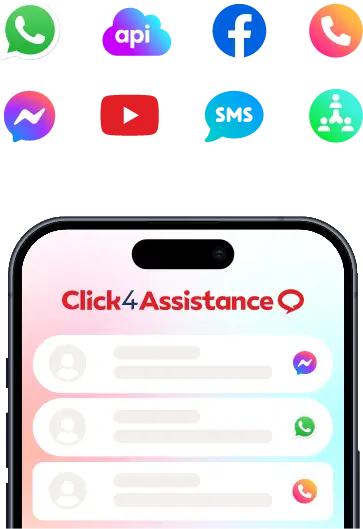
Rule-based chatbots can be up and running in days not months. UK businesses can deploy these bots on their website, mobile app or popular social media platforms like WhatsApp and Facebook Messenger which are used by millions in the UK. This means businesses can adapt to changing customer needs or seasonal spikes without long IT projects. For example, a local retailer gearing up for a holiday rush or a utility company dealing with increased queries during outages can turn on chatbot support in an instant, improving customer satisfaction and operational efficiency.
3. Cost Effective Customer Support Automation
For many small and medium sized businesses (SMEs) in the UK, budget constraints are a barrier to scaling customer service. Rule-based chatbots are a cost-effective solution by managing repetitive, frequently asked questions like store hours, delivery tracking or return policies—questions that would otherwise take up valuable human resource. Automating these interactions reduces the need for big call centres and significantly reduces operational costs. So, businesses can redirect resources to more complex tasks while providing 24/7 customer support—a key differentiator in today’s market.
4. Consistent and Controlled Customer Experience
In the UK, companies have to follow strict regulatory guidelines around data protection (like GDPR) and customer comms. Rule based chatbots ensure all answers are pre-written and thoroughly reviewed so businesses can maintain consistent messaging and compliance. This reduces the risk of misinformation or unsuitable responses that can harm the brand or result in regulatory fines. By defining the tone and language of the chatbot companies can also reinforce their brand identity – whether that’s formal, friendly or professional – across all customer interactions.
5. Ideal for Handling High Volume of Simple Queries
UK businesses get varying levels of demand, especially during holidays, sales or outside of office hours. Rule based chatbots are great at handling large volumes of simple queries without compromising on service. They answer common questions like order status or appointment scheduling immediately so human agents can focus on complex or sensitive issues. This reduces customer frustration from long wait times and support backlogs so when customers do get through to a live agent they get quicker and more attentive service.
Benefits of Creating a Rule-Based Chatbot for Customer Support
- Predefined Templates
Most no-code platforms have pre-built chatbot templates for customer service scenarios – like FAQs, order tracking, appointment scheduling or returns. These templates speed up the bot development process and ensure best practice. UK companies can use these to get bots up and running fast to tackle common customer issues, increase first contact resolution and overall satisfaction.
- Button & Keyword Triggers
Rule-based chatbots rely on structured inputs to guide users. Buttons present clickable options to navigate through FAQs or services, reduce typing mistakes and speed up resolution. Keyword triggers allow the bot to recognise specific words or phrases entered by the customer and respond with the pre-defined answer or action. Together these features make conversations smoother and reduce user frustration.
- Human Handoff
Although rule-based bots handle simple queries well, complex or sensitive issues need human involvement. The human handover feature allows for a seamless transfer from the chatbot to a live customer service representative without losing the context of the conversation.
- GDPR Compliance
Privacy is top of the agenda in the UK, regulated by GDPR and other laws. No-code chatbot platforms for the UK market like Click4Assistance have compliance features like consent prompts, secure data storage and options for users to access or erase their data. Ensuring chatbot interactions comply with these regulations protects businesses from legal liabilities and builds customer trust.
- Custom Branding
A chatbot should be an extension of your brand. Custom branding features allow you to customise the chatbot’s visual elements – colours, fonts, logos and welcome messages – to match your brand guidelines.
How to Create a Customer Service Chatbot: 7 Steps
Step 1: Identify Repetitive Customer Queries
Review your existing customer support records, whether they’re from tickets, phone calls, live chat logs or emails – to find out what questions are being asked most frequently. Typical questions are around delivery times, returns/exchange policies, store hours or product stock. This helps your chatbot focus on the most important areas, reducing the workload for agents and increasing customer satisfaction.
Step 2: Choose a No-Code Chatbot Solution
Choose a chatbot platform that provides a no-code conversation builder, rule-based decision trees and integration with your existing customer communication channels. Consider how the provider handles customer information, including data security, hosting arrangements and compliance with relevant data protection requirements. Coni from Click4Assistance allows UK businesses to create structured chatbot conversations using a visual builder, without requiring programming knowledge. Before choosing a platform, review its features, integration options and available support. A free trial or demonstration can help determine whether the solution meets your customer service requirements.
Step 3: Build Conversation Flows with Visual Tools
Use the platform’s drag and drop editor to build conversation flows. Frame each step as a simple question or prompt with set responses through buttons or keyword triggers. Make sure the flow feels intuitive and anticipates different user inputs or potential misunderstandings. Keep language clear and in line with your brand voice. Add quick access options like “Main Menu” or “Talk to Agent” to help navigation. For UK users include localised terms or references to build trust and familiarity.
For instance, a company that uses Coni could design a conversation that asks their visitors what they need help with. They could offer options like Track an order, Product information, Returns or Speak to customer support. Each option would then take the visitor through a conversation tree to either provide the information or collect the necessary details to process the enquiry. If the visitor requires additional help, the chatbot could offer to transfer the conversation to a Live Chat agent. Using the no-code chatbot builder, businesses can set up these conversations to help their visitors without having to create their own chatbot software.
Step 4: Configure Human Support Handover
Set up clear criteria for when the chatbot should hand over to a human agent. This could be after a certain number of failed responses, the detection of certain keywords like “complaint” or “refund” or on customer request. By integrating with your existing live chat or helpdesk software you can ensure a seamless handover and keep the conversation history so agents don’t have to ask the same questions again. Human fallback is good for complex or sensitive topics that the chatbot can’t handle.
Step 5: Test Thoroughly Before Launch
Before you go live, test internally to make sure all conversation paths work as expected. Get team members from different departments to role play different scenarios and find any gaps or confusing sequences. If possible, do a beta test with a small group of real customers to get feedback on usability and clarity. Make sure GDPR compliance – ensure any personal data collected is managed correctly and privacy notices or consent prompts are shown.
Step 6: Launch on Your Website or Channels
Once tested, add the chatbot on high traffic areas of your website, such as the homepage, support or checkout pages. Deploy multi-channel on platforms like Facebook Messenger or WhatsApp to reach customers in their preferred communication channels. Make sure the chatbot is visible and accessible but not intrusive. Tell customers what the chatbot can do – e.g. “Chat with us 24/7 for instant answers.”
Step 7: Regular Monitoring and Updates
Make the most of the analytics dashboard built into your chatbot to track conversation volumes, common questions, and moments when users might lose interest. Keep an eye on performance trends and customer satisfaction indicators to identify areas that could use some improvement. Regularly update your chatbot scripts to reflect any changes in products, services, policies, or seasonal promotions. By making these ongoing adjustments, you ensure that your chatbot remains effective, relevant, and aligned with the evolving needs of your customers and any regulatory requirements.
How Can a Customer Service Chatbot Improve Customer Experience?
- Instant Answers
Rule-based chatbots give instant answers to common customer questions, so you don’t have to make customers wait. Whether it’s about delivery or store hours, customers get the answer they need right away – and are more satisfied and less likely to drop off.
- 24/7 Support
With chatbots your business is open 24/7. Even outside of office hours customers can get help instantly, which is especially important for UK customers who are in different time zones or have hectic schedules.
- Minimising Frustration with Clear Navigation
By providing pre-defined buttons and guided options, rule-based chatbots simplify the customer journey. Users can quickly select relevant topics or requests without having to guess how to ask their question, resulting in smoother and less frustrating interactions.
- Reliable and Consistent Information
Chatbots give answers that are carefully crafted and approved by your team, so customers get the same trustworthy, compliant information every time. This builds trust and your brand’s professionalism.
- Let Human Agents Tackle Complex Queries
By automating routine and repetitive questions, chatbots allow your customer service agents to focus on more complex, sensitive or personal issues. This utilises your support resources and improves overall service quality.
Customer Service Chatbot Examples Across UK Industries
- Retailers Managing Stock and Returns
Several UK retail brands have implemented rule-based chatbots to answer common customer queries like stock availability, delivery times and returns. This automates the wait times and increases customer satisfaction and allows human agents to focus on more complex questions. For example, fashion retailers and electronics shops use chatbots to handle peak times like Black Friday.
- Healthcare Booking Appointments
General practitioners and dental surgeries across the UK are using rule-based chatbots to manage appointment booking and cancellations. By automating these standard interactions, healthcare providers can reduce phone traffic, booking errors and patient inconvenience – especially out of hours.
- Travel Agencies Instant Bookings
Travel agencies and tour operators in the UK are using chatbots to deliver instant information on booking confirmations, itinerary changes and travel alerts. This means travellers can stay up to date without having to wait on the phone lines, which is especially helpful during busy holiday periods or unexpected disruptions.
- Local Authorities Citizen Queries
Local councils are using rule-based chatbots to answer frequently asked questions about council tax, bin collections, parking permits and more. This digital self-service approach reduces the burden on call centres and increases information availability for residents, in line with the UK public sector’s digital transformation goals.
Across industries, rule based chatbots can assist businesses in automating repetitive customer enquiries, while making information more accessible and reducing the workload of customer service teams. By handling routine questions, organisations can free up their employees' time to focus on more complex questions that require personalised assistance.
How Coni Helps You Create a Customer Service Chatbot
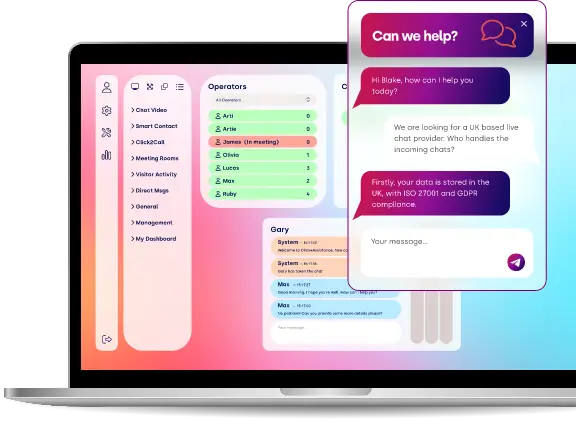
Coni is a no-code, rule-based chatbot developed by Click4Assistance to help UK businesses automate customer service conversations without programming. Using Coni's visual chatbot builder, organisations can configure predefined questions, responses and conversation paths to guide website visitors, answer common enquiries and collect customer information. Coni also integrates with Click4Assistance Live Chat, allowing customers to be transferred to a human agent when additional assistance is required. Key benefits of creating a customer service chatbot with Coni include:
- User Friendly Drag-and-Drop Interface
Our visual chatbot builder is easy to use and allows you to create, customise and modify conversational flows in minutes. This means your team can set up automated customer interactions without needing developers or technical expertise.
- Data Hosting and Protection
Click4Assistance offers UK-based customer communication services with security and data protection measures to help businesses meet their regulatory needs. In addition, we offer support from our UK-based team that can guide you through the product's data management and security capabilities.
- Smooth Integration with Existing Tools
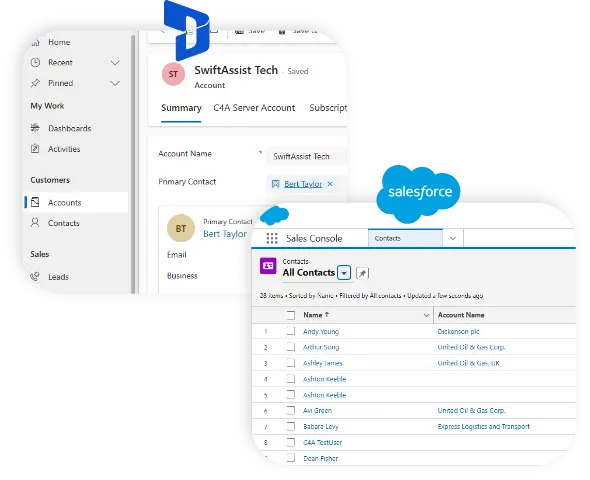
The platform integrates with popular customer service software, CRM systems and communication channels so your chatbot doesn’t disrupt your existing workflows.
- Dedicated UK Based Support and Consultancy
With local expert support and consultancy services, UK businesses get bespoke advice, fast technical help and best practice guidance – making chatbot setup and management a breeze.
Click4Assistance’s focus on simplicity, compliance and local support makes Coni an option worth considering for UK businesses looking to improve customer service efficiency and satisfaction. Try us out and add a chatbot to your website today to start providing fast and consistent customer support.
Frequently Asked Questions
How Do I Create a Chatbot for Customer Service?
To make a customer service chatbot that actually helps, you need to figure out what questions customers are going to ask, pick a chatbot platform that's easy to use, and map out the conversation flow so the chatbot knows what to say in each situation. Once you've got it built, give it a test run, put it up on your website, and keep an eye on how well it's doing. There are also no-code chatbot platforms like Coni from Click4Assistance that let businesses build out structured conversations without having to learn how to code.
Can I Build a Customer Support Chatbot Without Writing Any Code?
Yes. There are rule-based chatbot platforms like Coni that have drag-and-drop tools that let businesses build out automated conversations using a set list of questions, responses and decision points. So customer service teams can configure the chatbot's journey without needing to write code.
Can a Customer Service Chatbot Pass Customers Off To a Human?
Yes. Coni integrates with Click4Assistance Live Chat, giving businesses the option to mix automated customer service with some human help when customers need it. Conversations can be transferred to an available agent when a customer wants some extra assistance.
Start Creating Your Customer Service Chatbot with Coni
Creating a chatbot for customer service and support doesn't have to involve complex development or specialist programming knowledge. Rule-based, no-code chatbots provide a practical way for UK businesses to automate frequently asked questions, guide customer enquiries and offer assistance outside normal working hours.
With Coni from Click4Assistance, businesses can create structured chatbot conversations, configure responses and provide access to human Live Chat agents when needed. Whether you're looking to reduce repetitive enquiries, improve customer communication or introduce automated support to your website, Coni provides a configurable starting point.
See Click4Assistance in Action
Schedule a demo with our experts and explore the power of live chat and AI-driven engagement tools tailored to your business.